

Setup Guide
Adding the Annoto App to Account
If not done so yet, please finish the Deployment Guide before proceeding witht the setup.
Copy the "Annoto LTI Advantage" Developer Key's Client ID (same client ID that was shared with Annoto:Step 4: Share the Client ID with Annoto)
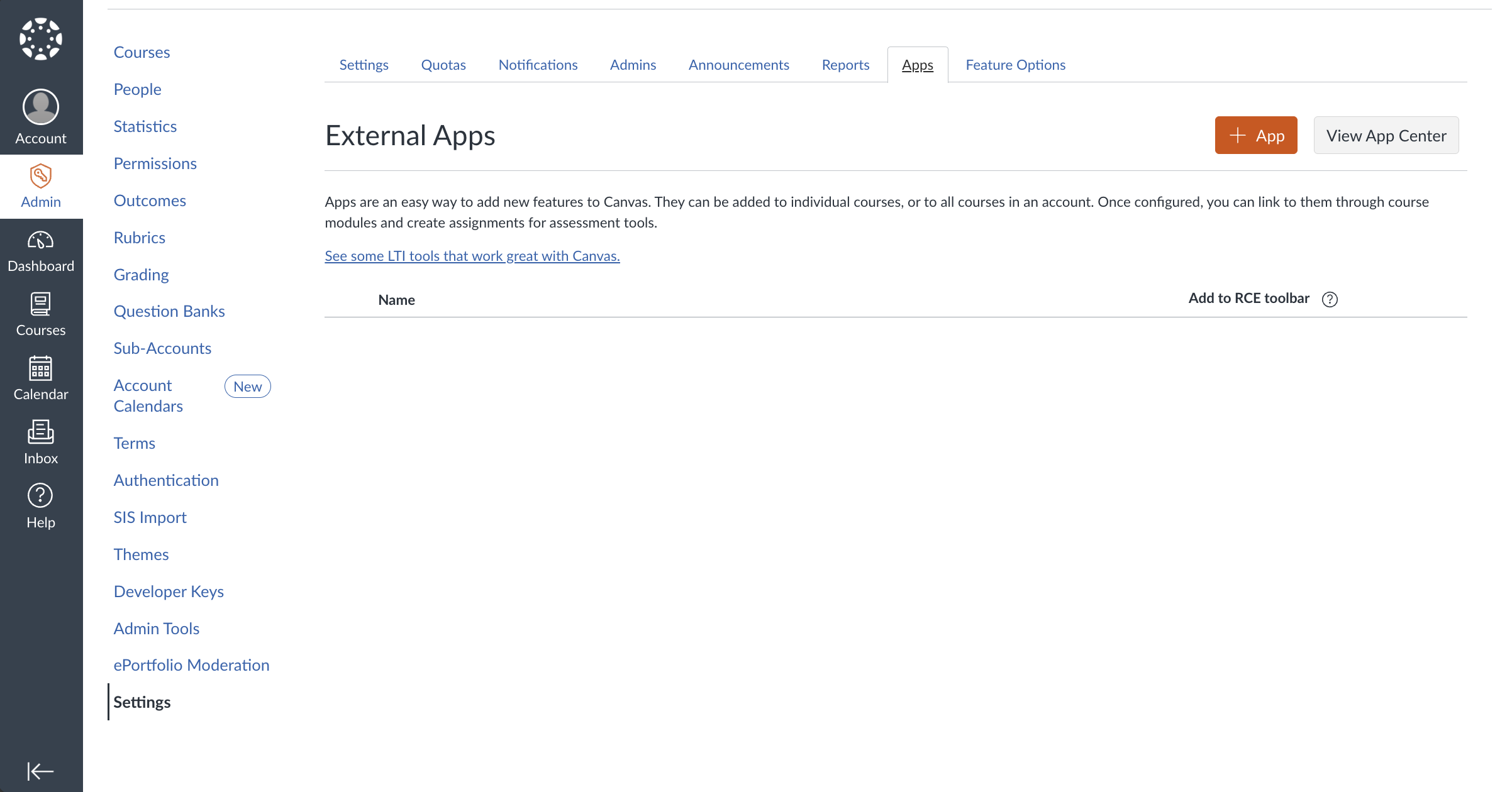
Navigate to the account "Settings"
Navigate to the "Apps" Tab
On the External Apps page click the "+ App" button.
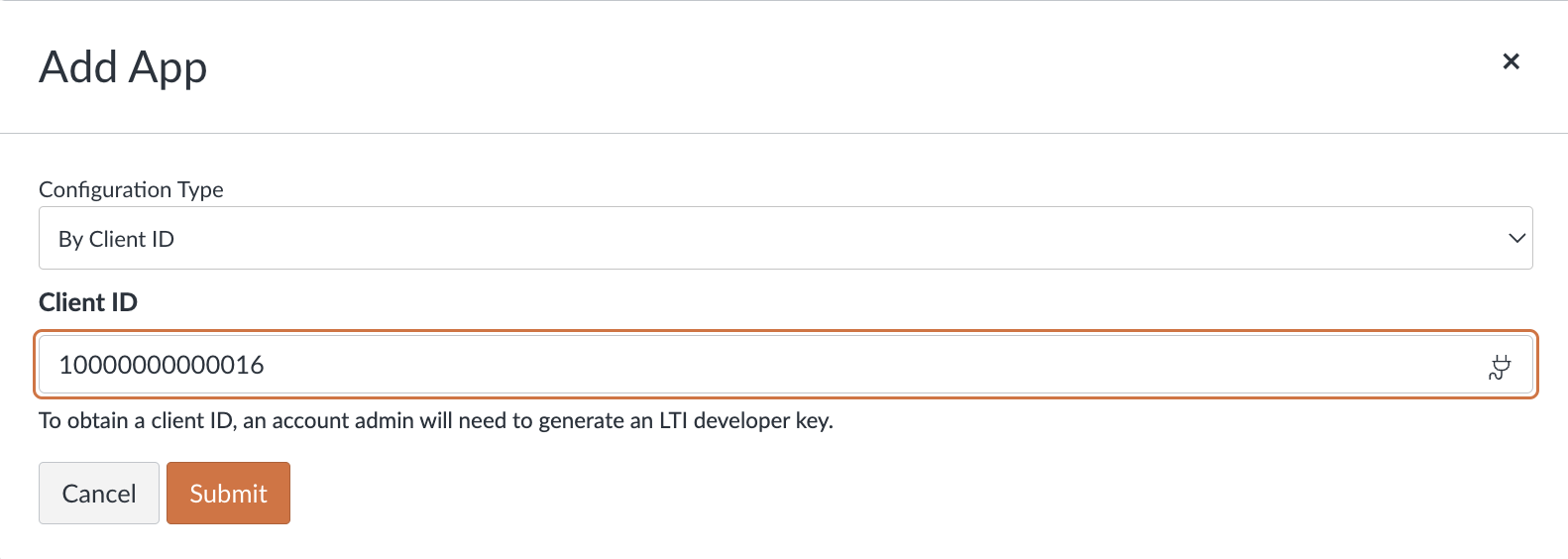
On the Add App page
Select "By ClientID" in the "Configuration Type" drop down menu
Paste the Client ID copied from the Developer Keys into the Client ID field
Click "Submit"
For more details about adding external applications, please refer to the Canvas documentation