

Access Annoto Course Dashboard
The Annoto Insights Dashboard provides comprehensive analytics and insights about the users and their interactions, giving a view on how and when users interact with the video content and with each other.
In case the Annoto Dashboard is not automatically added to your course, adding the Annoto Insights Dashboard is done via "Add an activity or Resource". Adding the dashboard once for each course will provide analytics and insights for ALL course videos and users.
You can access the Annoto Dashboard in two ways:
From the Course Level
From the Video view
Accessing Annoto dashboard from the Course LevelAdding Annoto Dashboard to the course
Turn Editing On
Add an activity or resource
Choose Annoto Dashboard
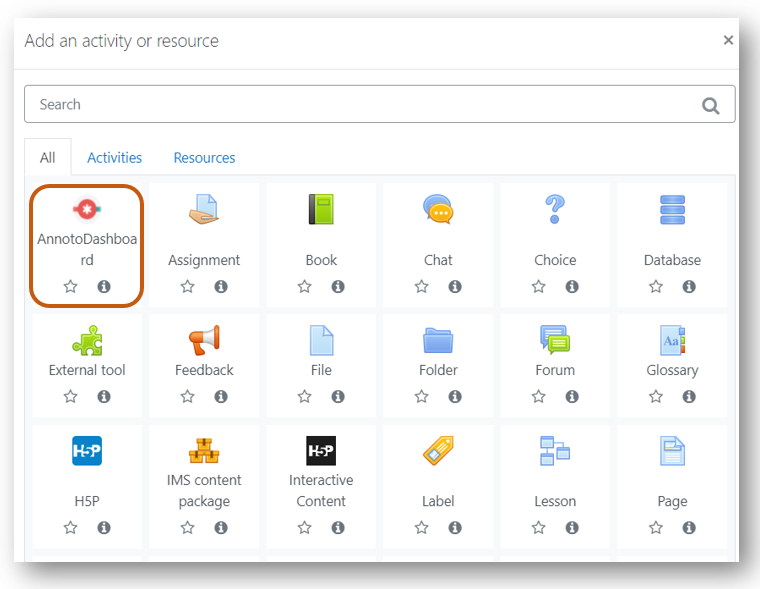
4. Add Activity Name
5. Save
The Annoto Analytics Dashboard is displayed.
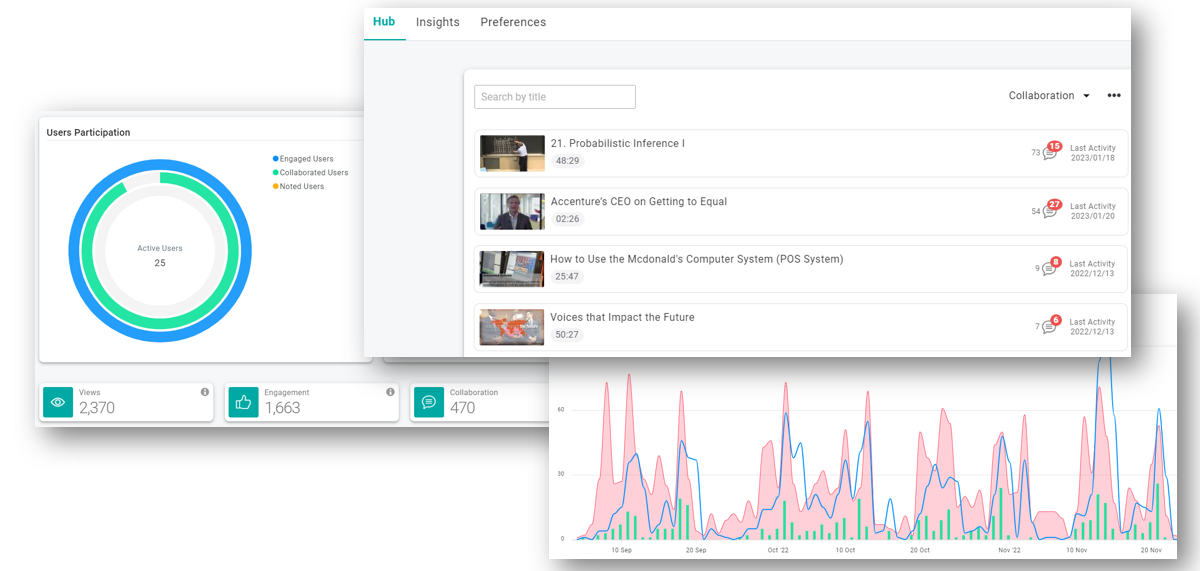
Illustration: Annoto Analytics
Accessing Annoto Dashboard from the Video view
Go to one of the video where you have Annoto.
Based on your organization setting, you will have one of the following two options:
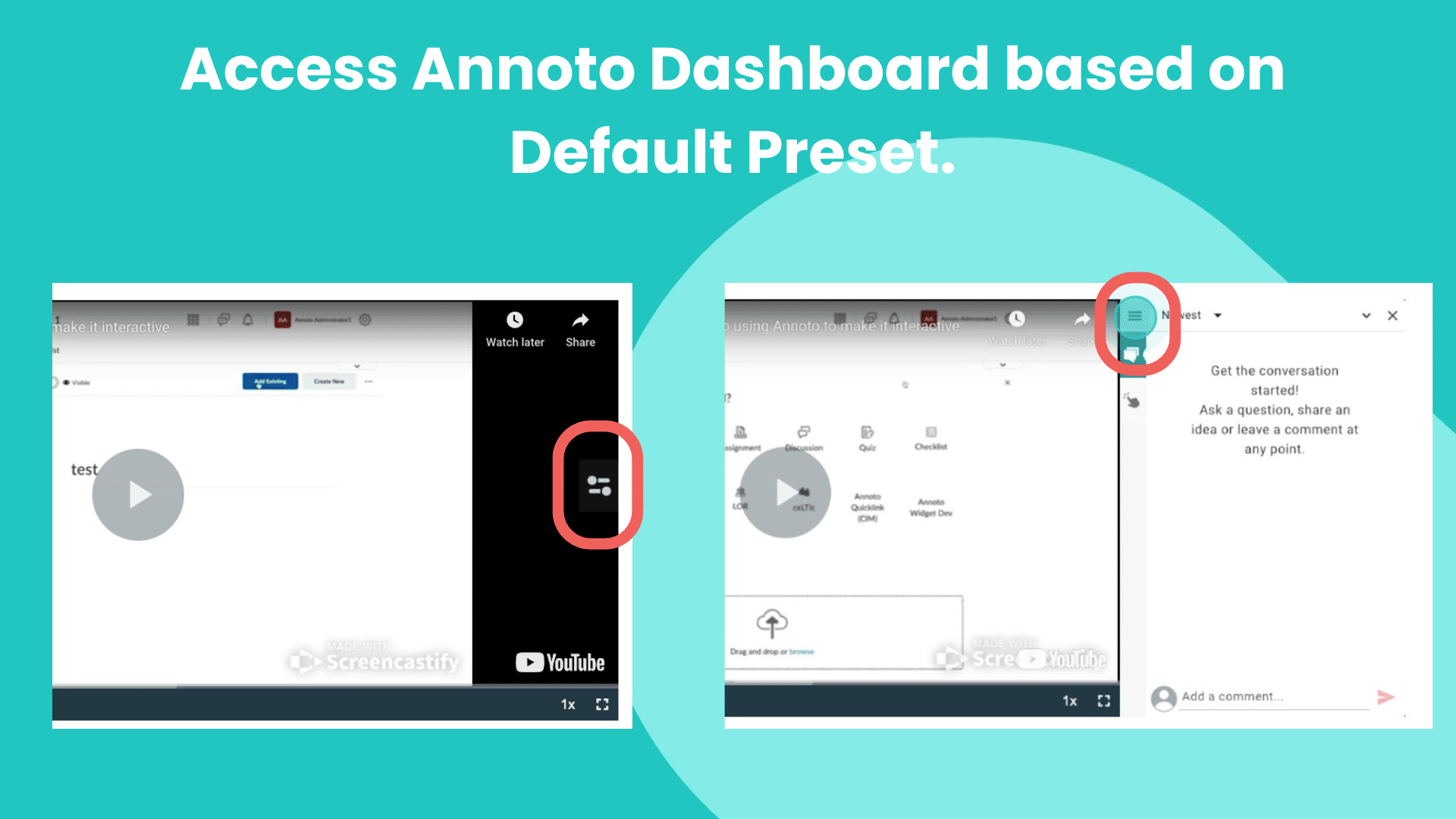
After clicking the Icon

, you will see Annoto Dashboard launch
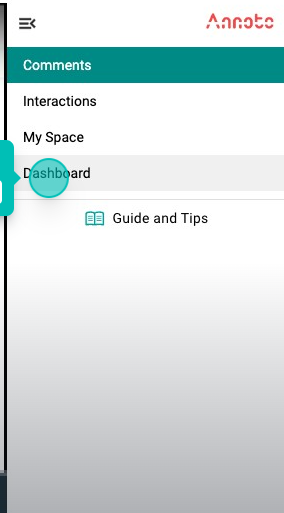
If you click on the menu

, you should then click on the Annoto Dashboard:
Click here to learn about the comprehensive analytics the dashboard provides and all the insights that can be gained from them.